
Nationwide IT field service
POS Installation & Break-Fix
Vetted technicians install, swap, and troubleshoot point-of-sale hardware at retail, restaurant, and hospitality locations across the United States.
Last updated
What we do
Relion dispatches technicians for point-of-sale rollouts and for one-off break-fix calls. We work from your scope of work, your site contact, and your escalation path, so the store sees one organized visit instead of a troubleshooting session.
A typical POS visit covers hardware placement, cabling, network connection, peripheral testing, and a functional check with your help desk or the site manager before the technician checks out.
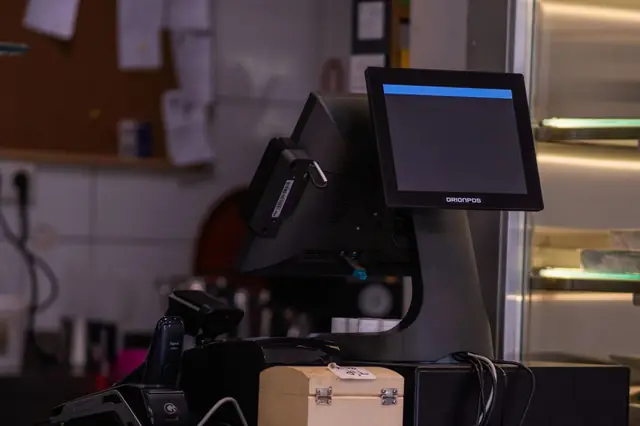
Scope details
A POS work order can be as small as one receipt printer or as large as every lane in a store. Before dispatch we confirm the lane count, which devices are being replaced, whether network drops already exist at each lane, and who on your side validates transactions. That tells us whether the visit needs a POS technician only, or one who can also pull and terminate cable.
Technicians handle the physical work and the on-site checks: unpacking and placing hardware, routing and securing cables under the counter, connecting peripherals, and running the test steps in your scope. Software loads, payment configuration, and processor settings stay with your team or vendor unless the work order assigns specific steps to the technician.
Typical jobs
- New store POS installs and refresh rollouts
- Terminal, receipt printer, scanner, and cash drawer swaps
- Payment device and customer display replacement
- Break-fix dispatch for failed POS hardware
- POS network drops and connectivity troubleshooting
- Old equipment removal and return shipping prep
Common work order examples
- Replace a failed receipt printer at one lane and print a test receipt for the help desk
- Install four new lanes in a remodeled store and test the scanner, scale, cash drawer, and customer display on each
- Swap PIN pads at a restaurant, record old and new serial numbers, and ship the old units back on the prepaid labels
- Trace a dead POS network drop, re-terminate it, and confirm the terminal reaches the store network
- Remove legacy POS hardware after a refresh and stage it for carrier pickup
Equipment we typically handle
- POS terminals and all-in-one stations
- Receipt and kitchen printers
- Barcode scanners and scanner-scales
- Cash drawers
- Payment terminals and PIN pads
- Customer-facing displays and kitchen display screens
- Store switches and patch cords serving POS lanes
Tools and testing
Technicians bring hand tools for the counter work, plus test gear for the network side of a POS lane:
- Cable tester and toner for lane drops
- Crimp and punch-down tools for re-terminations
- Laptop for help desk sessions when the scope calls for one
- Label maker for lanes, devices, and cables
- Test receipts and test transactions run with your help desk or site manager
Deliverables
Closeout documents are delivered within 24 hours of the completed visit.
- Check-in and check-out times on the work order
- Before and after photos
- Signed work order
- Technician notes on what was done and what was found
- Device serial numbers and asset details when your scope calls for them
- Help desk or site manager sign-off on functional testing
Project work vs. break-fix
For a rollout, we ask for your install guide, the site list with store hours, and shipment tracking for each location. Technicians are briefed on your lane layout and test script before the first store, and every store closes out with the same photos and serial list so your team can compare locations side by side. See IT Projects & Rollouts and our POS rollout checklist.
Break-fix calls are dispatched one at a time against your work order. The technician diagnoses the lane, swaps the failed device if a replacement is on site, and reports exactly what was found when no part is available, so the right part can be ordered before a return visit.
Frequently asked questions
Do you handle both rollouts and single break-fix calls?
Yes. Relion takes multi-site POS rollouts and individual break-fix work orders. Send the scope and site list and we will confirm how the work will be scheduled.
Can technicians work with our help desk during the visit?
Yes. Include your help desk number and call-in steps in the work order. Technicians follow your check-in, testing, and sign-off process on site.
Who supplies the POS hardware?
Hardware is normally supplied by the client or the site. The work order should list what is shipped, where it will be, and how old equipment should be handled.
Do your technicians follow PCI handling steps for payment devices?
Technicians follow the device handling steps in your work order, such as recording serial numbers, inspecting new payment terminals before installation, and returning old devices under your process. PCI DSS compliance remains the responsibility of the merchant and its payment providers.
Can you work before the store opens or after it closes?
Yes, when the visit is scheduled for that window. Put the store hours and the required arrival window in the work order so the visit is planned around trading hours.
What happens if the replacement part is wrong or missing?
The technician documents the problem with photos and part numbers and contacts us before leaving. We pass it to your escalation contact with what is needed for the return visit.
Need POS Installation and Break-Fix on site?
Send your scope of work and we will confirm coverage, schedule, and rates. Closeout documentation follows every visit.